Get notifications on your phone
AutoReady will ping your phone when it accepts a match, so you're back in time.
Get the free ntfy app
It delivers AutoReady's notifications. No account needed.
Copy your code
It's your private channel. Don't share it or show it on stream.
Open ntfy and tap Allow
It asks the first time you open it. Without this, nothing arrives.
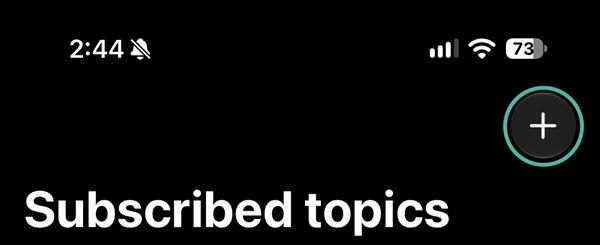
Tap + at the top right
On the Subscribed topics screen.
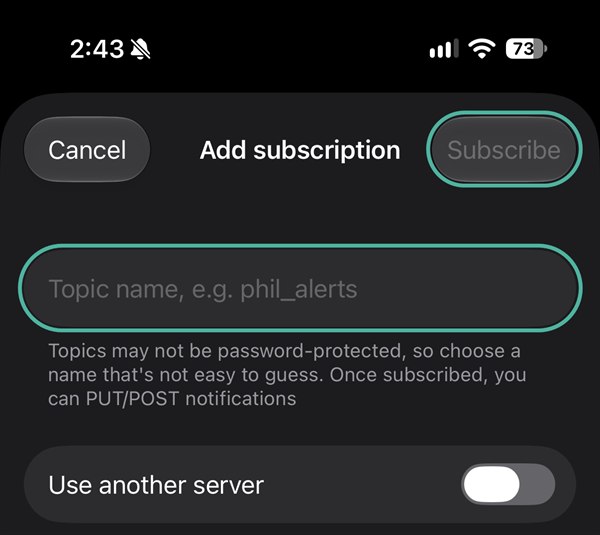
Paste the code and tap Subscribe
Touch and hold the Topic name box, tap Paste, then Subscribe at the top right.
Send a test from your PC
In AutoReady, click Send test. When it arrives here, you're done.
Still stuck? See the step-by-step help
Connect ntfy
Opens the free ntfy app and subscribes you. No app yet? Google Play opens first: install it, then come back and tap again.
Allow notifications
If ntfy asks, tap Allow. That's it.
Send a test from your PC
In AutoReady, click Send test. When it arrives here, you're done.
Alerts arrive late? Check battery settings
Some Android phones pause apps in the background to save battery. In Settings → Apps → ntfy → Battery, choose Unrestricted (the name varies by brand) so alerts arrive right away.
Didn't work? Do it by hand
Copy the code, open ntfy, tap +, paste it in Topic name and tap Subscribe.
This link is missing your code
Open AutoReady on your PC, turn on Phone notifications, click Show code and scan the QR with your phone camera.